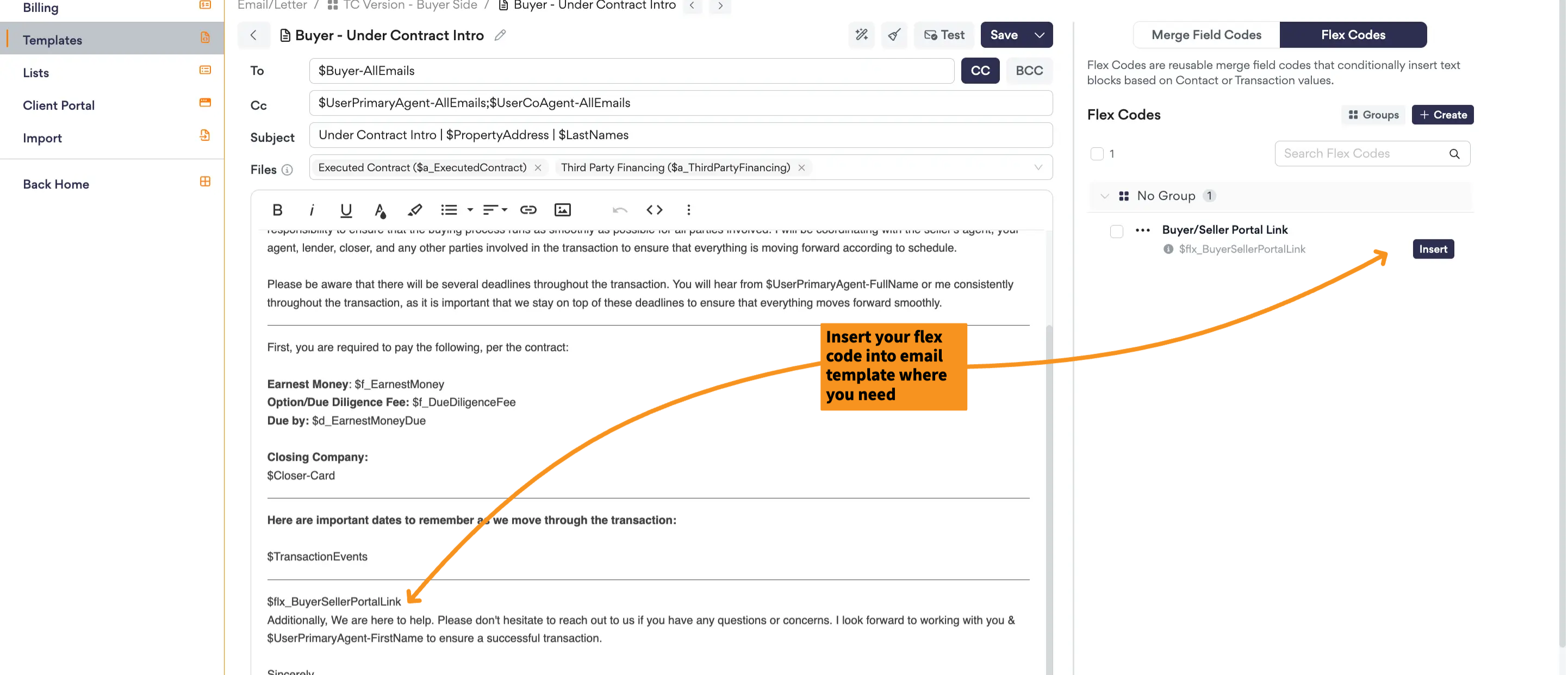
Flex Codes are reusable merge field codes that conditionally insert text blocks based on Contact or Transaction values. They allow you to create dynamic email and letter templates that automatically display the appropriate content based on the transaction, reducing the need to maintain multiple template variations.
Note: Flex codes can only be used in the body of an email and letter template.
TABLE OF CONTENTS
Helpful Videos
- Feature Update :: Flex Codes
- Cultivate Wins :: AFrame Tutorial :: 38 email templates down to 3!
- AFrame Mastermind :: Flex Codes
Accessing Flex Codes
Open or create a new email/letter template and the code library is found on the right. You will find the merge field codes and flex codes in this section.
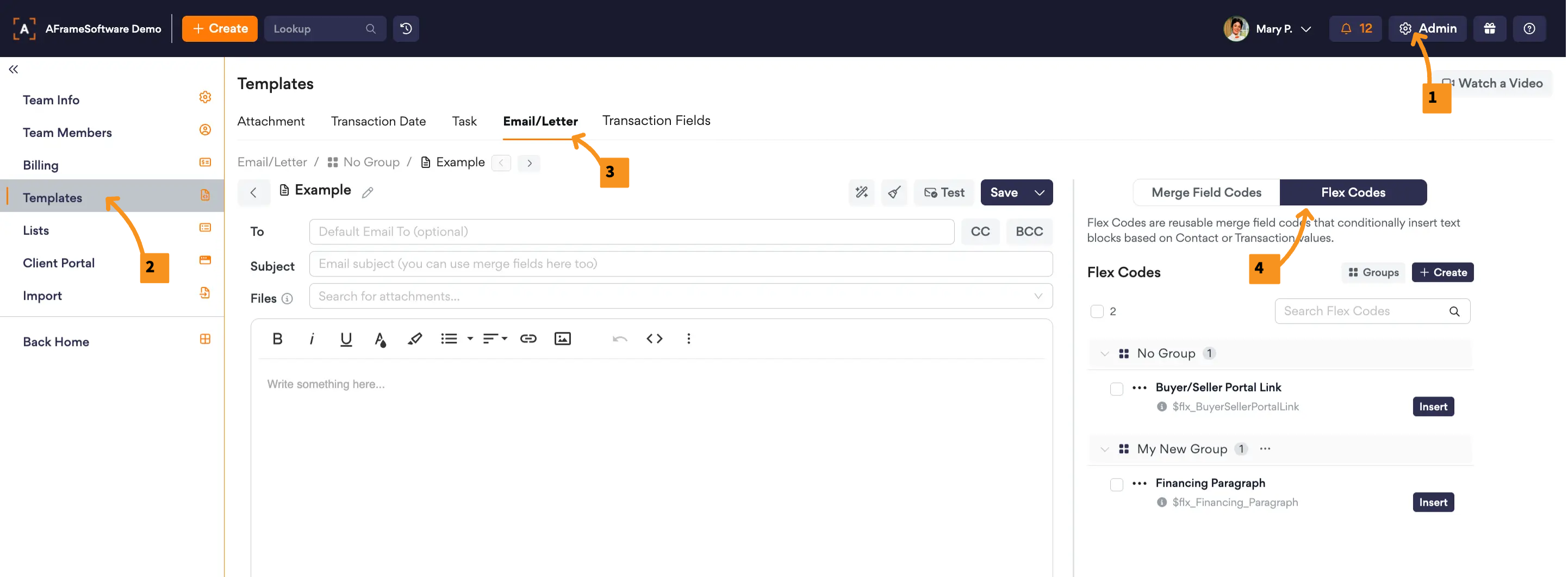
Open in AFrame: Admin → Templates → Email/Letter
Related Articles: Email/Letter Templates, Merge Field Codes
Creating Flex Codes
- Open or Create an Email/Letter Template
- Toggle to Flex Codes on right sidebar
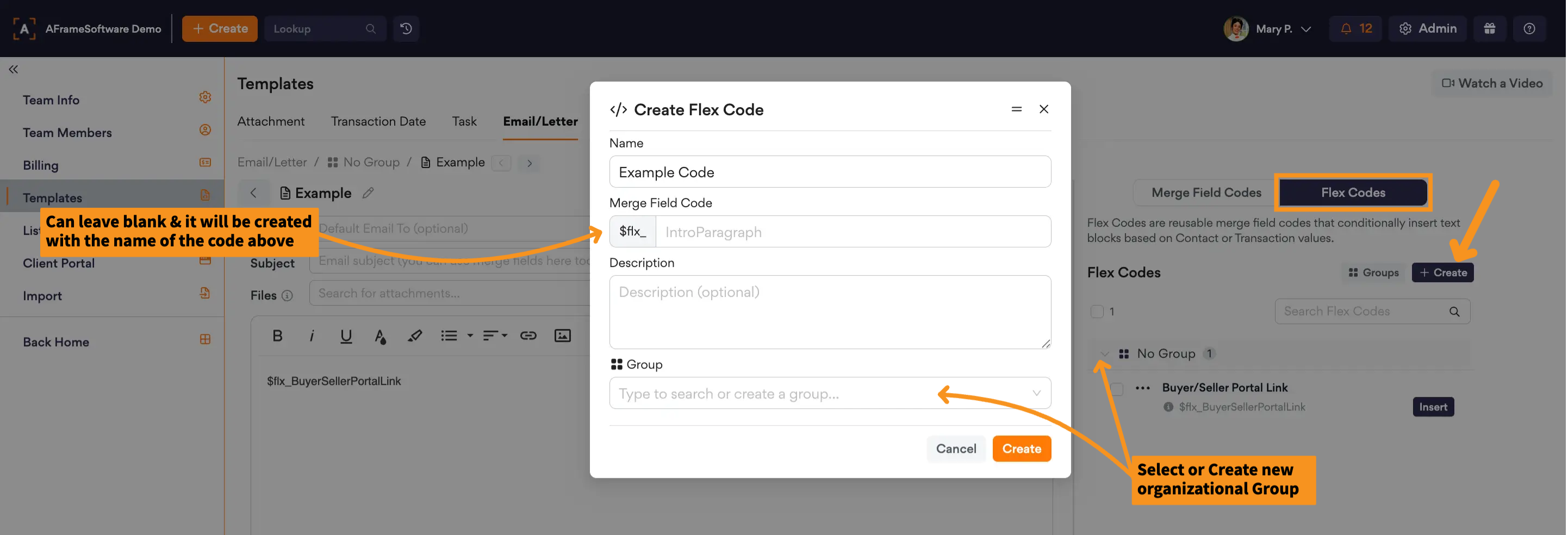
- Use Create Button & Title your code
- Build your Rules and conditions within each rule.
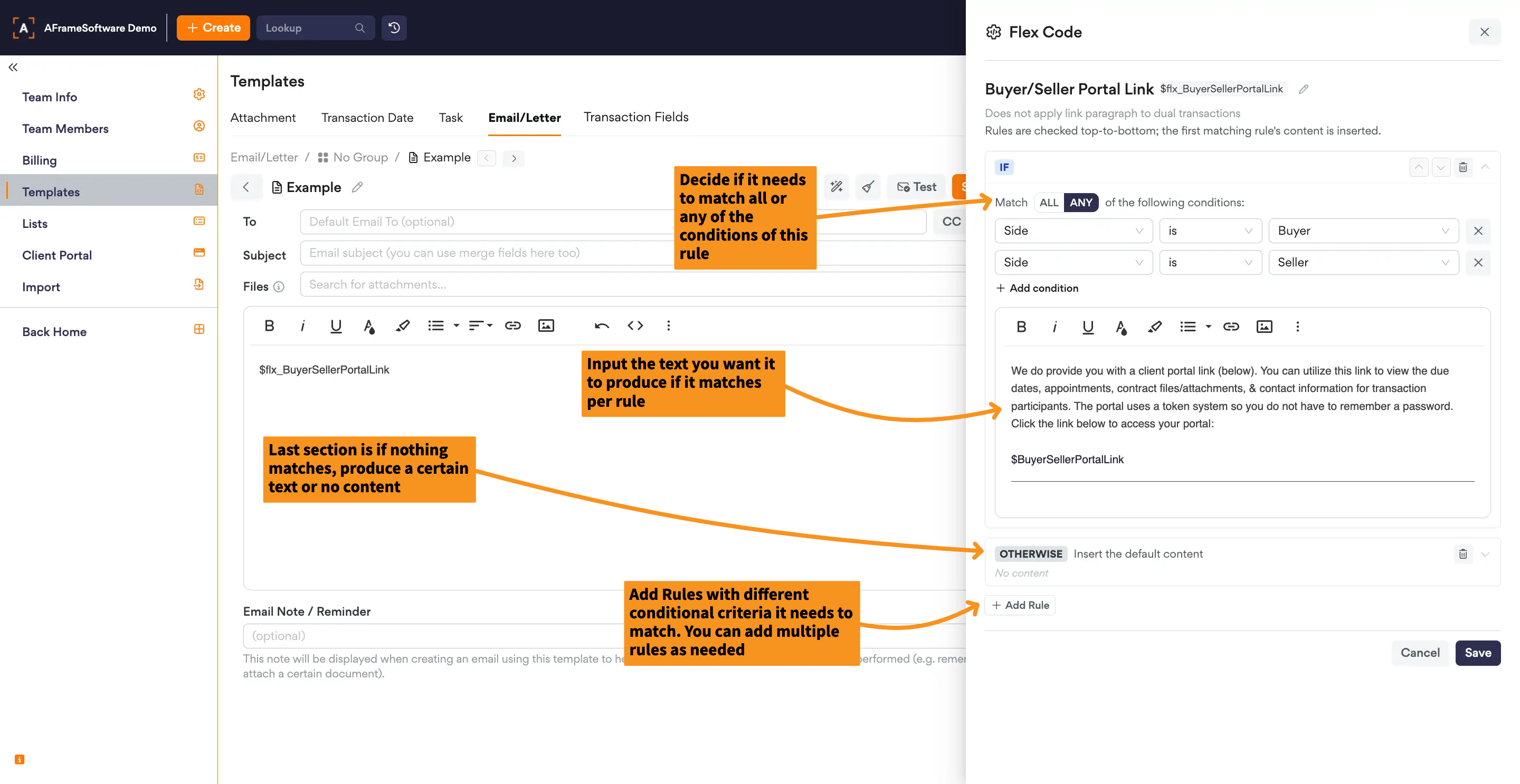
- Save
- Insert Flex Code into email body