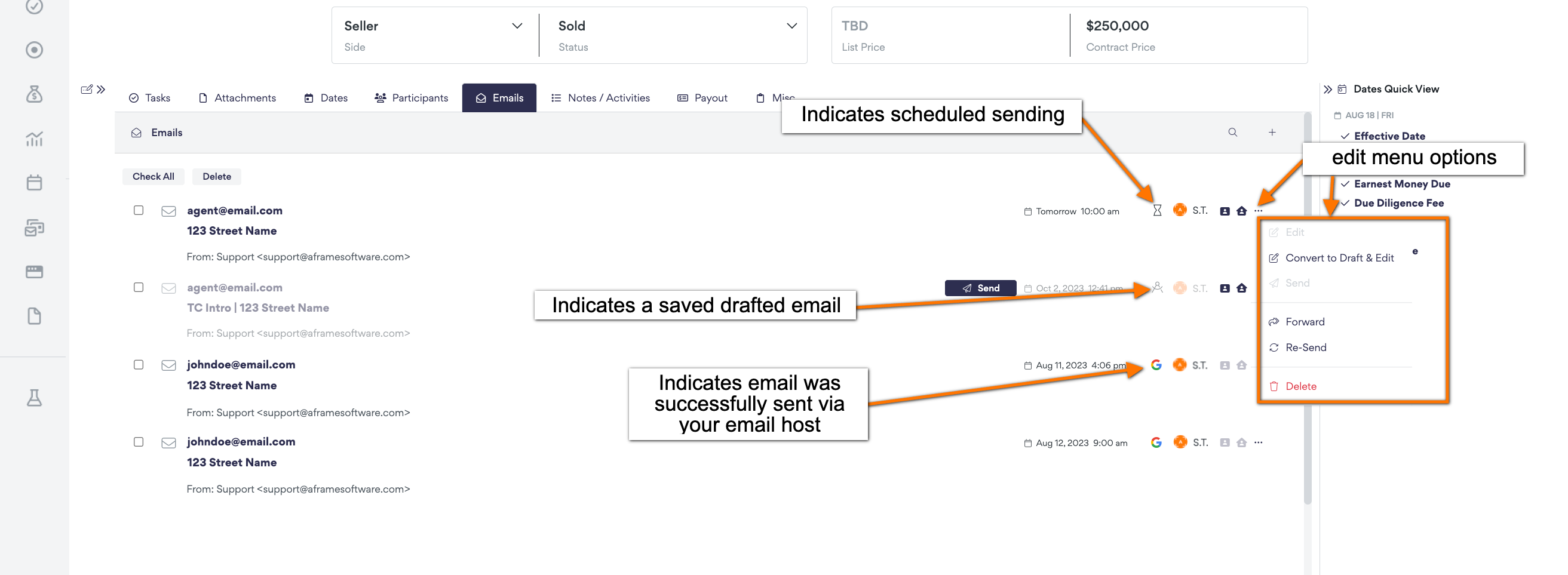
During the transaction, you have the capability to send emails in reference to the transaction. In this article, it will break down the different options and capabilities you have within this tab.
TABLE OF CONTENTS
Related Resources
Articles
Using An Email Template
- Create the email:
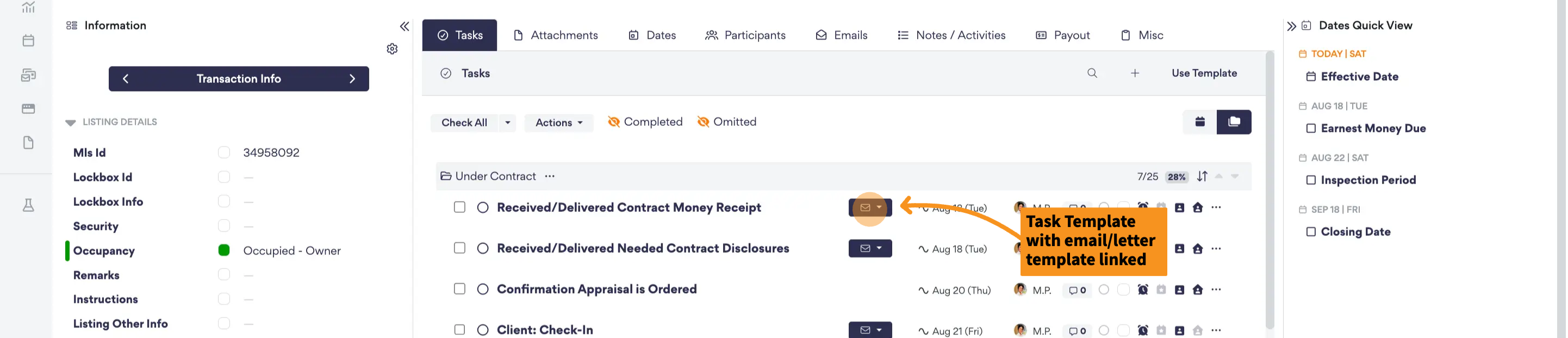
- From Task
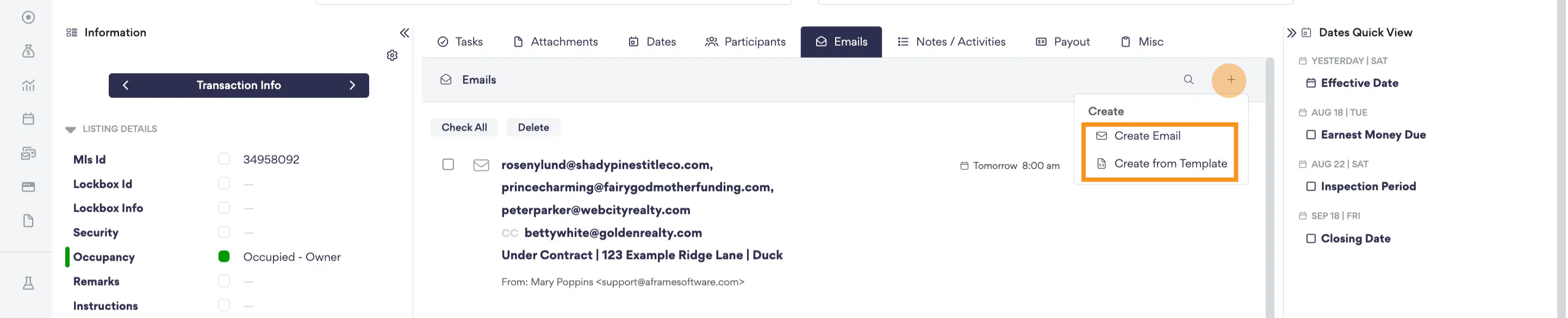
- From Email Tab
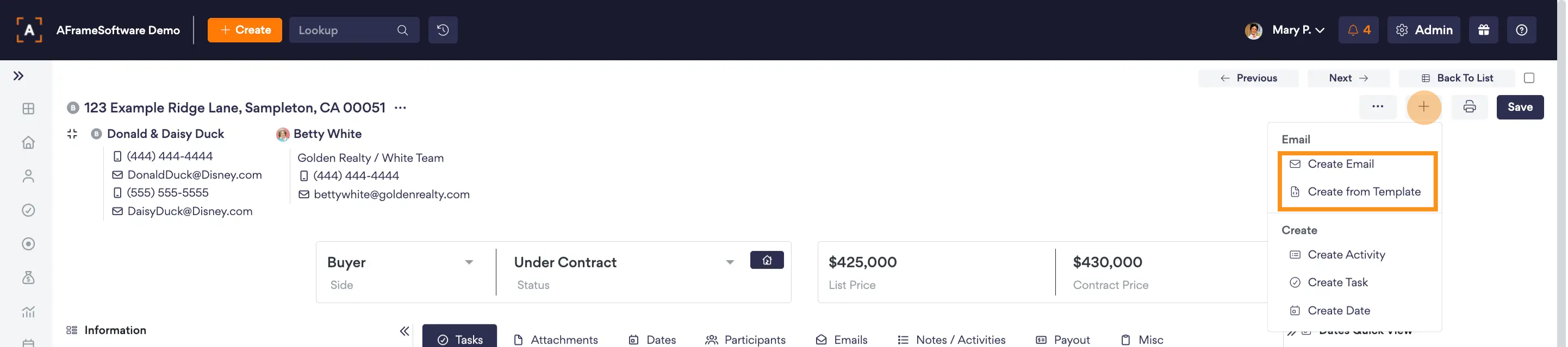
- From Transaction Detail Page
- From Task
- Apply email participants, attach any attachments, & check over the email before sending.
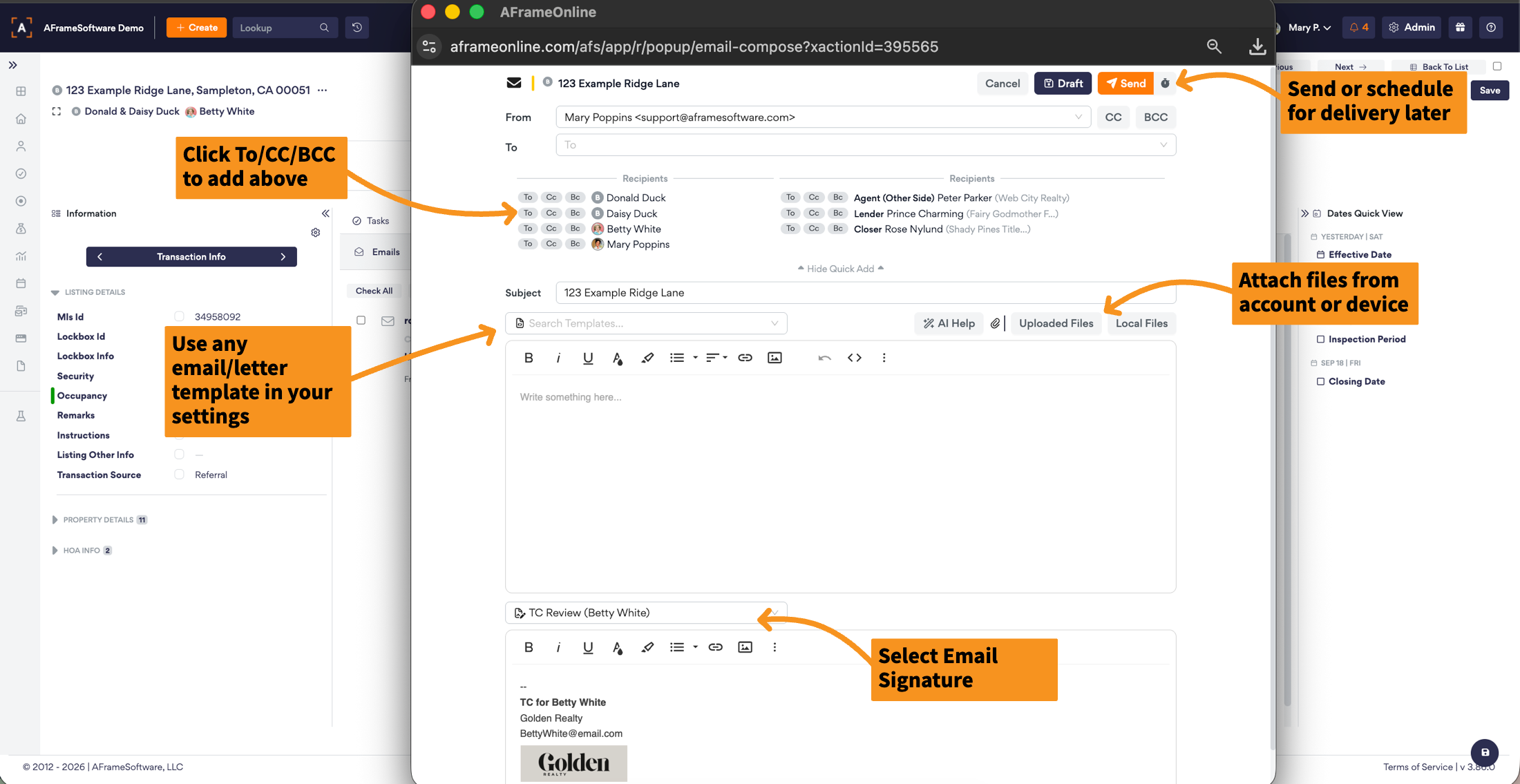
- Send or schedule the sending of the email.
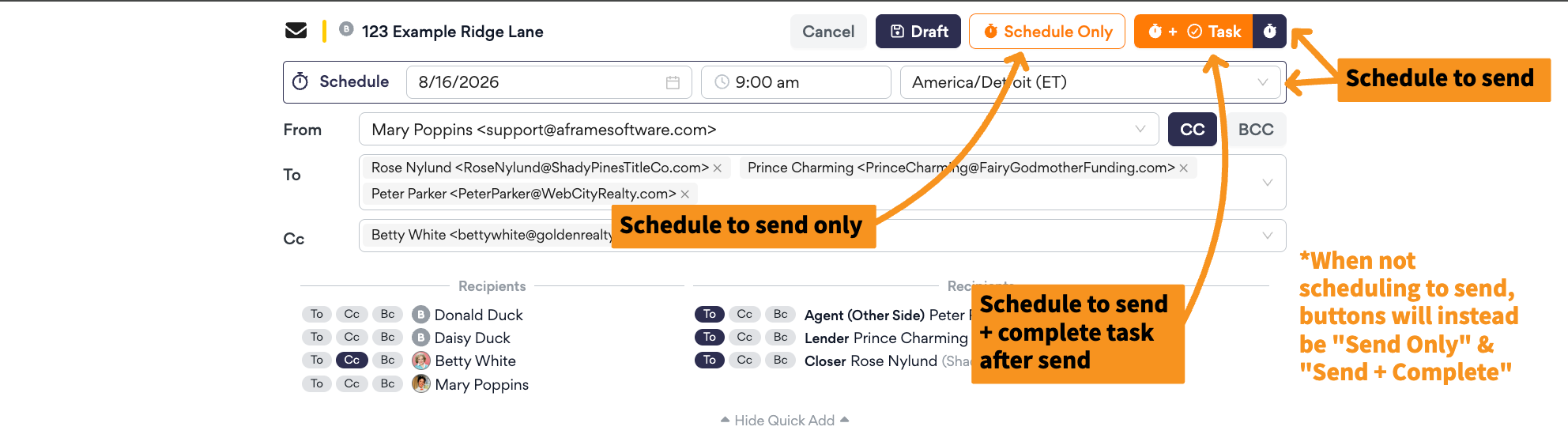
Managing Emails
Under the email tab, you will see there can be different status icons beside the emails sent via that transaction. The different status icons will indicate if the email is a draft, scheduled email, sent email, or error in sending the email. Additionally, there are edit selections per email status by clicking the ... button.