Your contact database will be an area you will rely on for linking transactions to the buyers/sellers, holding contact information and addresses for any type of transaction participant you may come across, lead tracking for agents, and so much more. It is crucial to ensure that the contact information is accurate and up-to-date to maintain a good relationship with clients and provide them with the best possible service.
TABLE OF CONTENTS
Helpful Resources
Video:
Articles:
Creating Contact
TIP: Search for the contact in the top lookup bar prior to creating a new contact to avoid duplicates.
- Create a new contact.

- Add the basic primary contact info & their alternate contact (such as spouse or partner) information below them. Additionally, you can control the contact ownership. Select Save & Go to open their contact detail page for more customization.
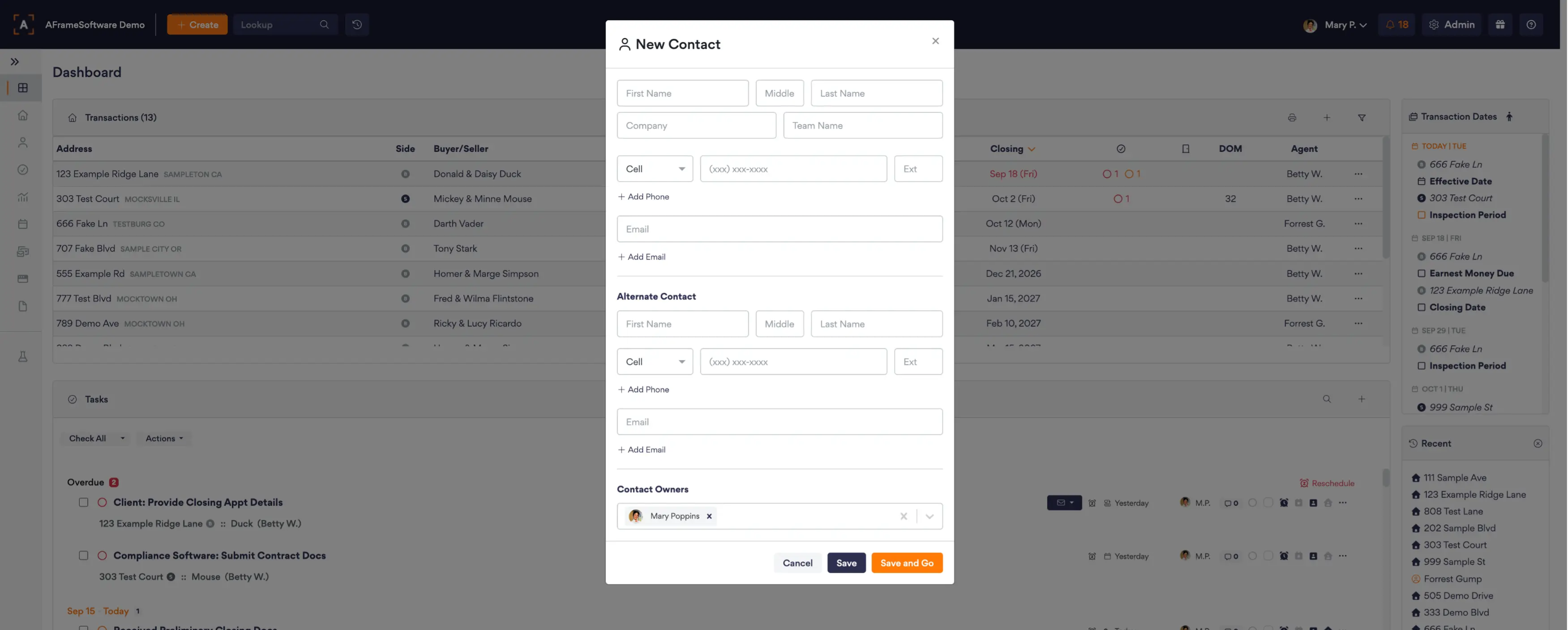
Pro Tip: Contact ownership is directly related to touch dates populating in the contact owner profile's unique AFrame Calendar Feed.
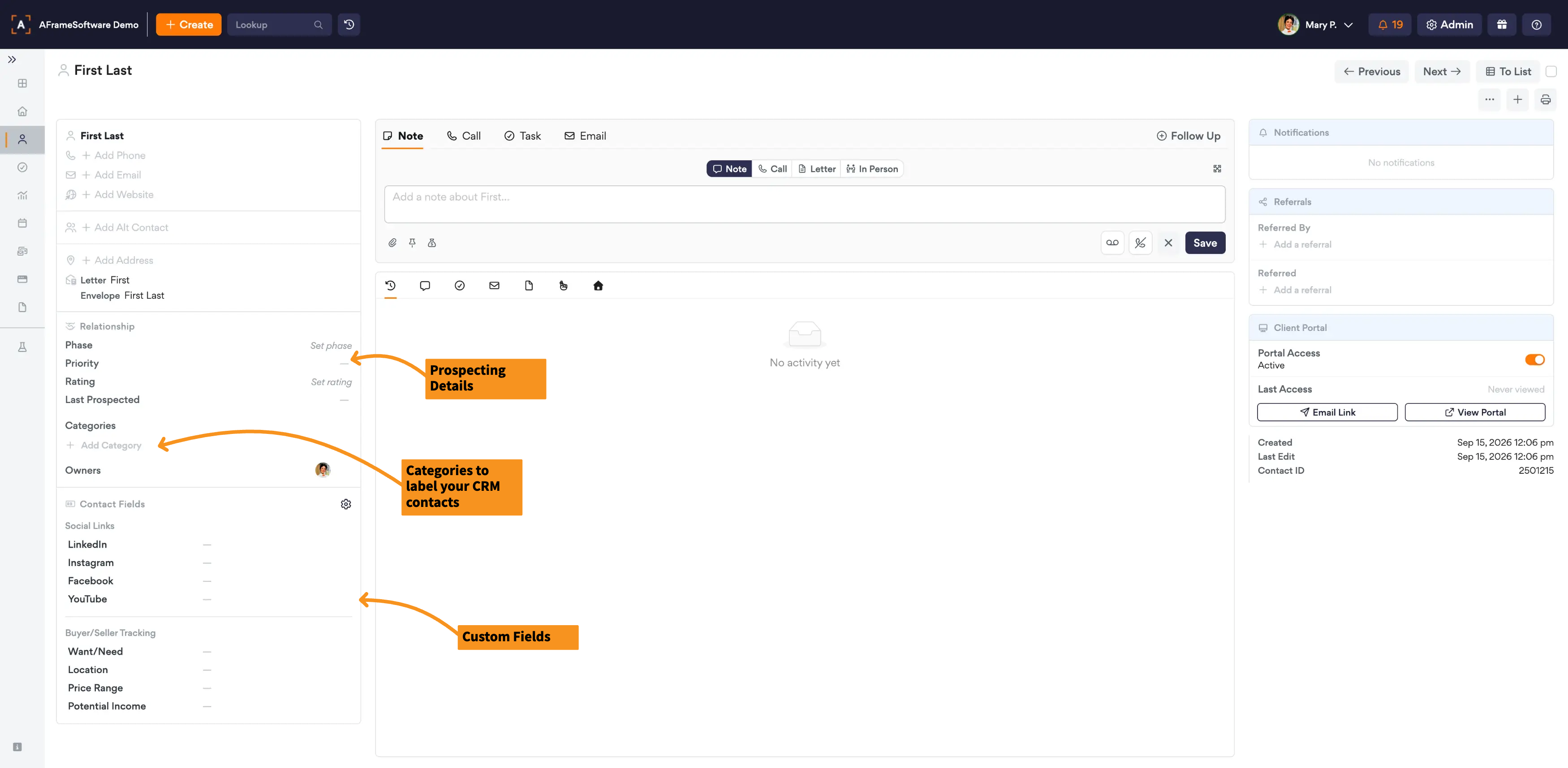
- In the left column you can enter more contact details for prospecting, categories, and custom fields. In the middle column you can toggle between the tabs to add tasks, upload files, add notes, and add touch dates (such as birthday and purchase anniversary dates). The right column will be used to see upcoming notifications, referral tracking, and portal access.