Participant templates make it easy to add all the roles placements you need at once to a transaction. Create empty placeholders for multiple roles, or set a specific contact for a role so they’re automatically added whenever you apply the template to a transaction.
TABLE OF CONTENTS
Related Resources
Articles
Participant Features
Participant Roles
You will select one of the options from your account's participant role list.
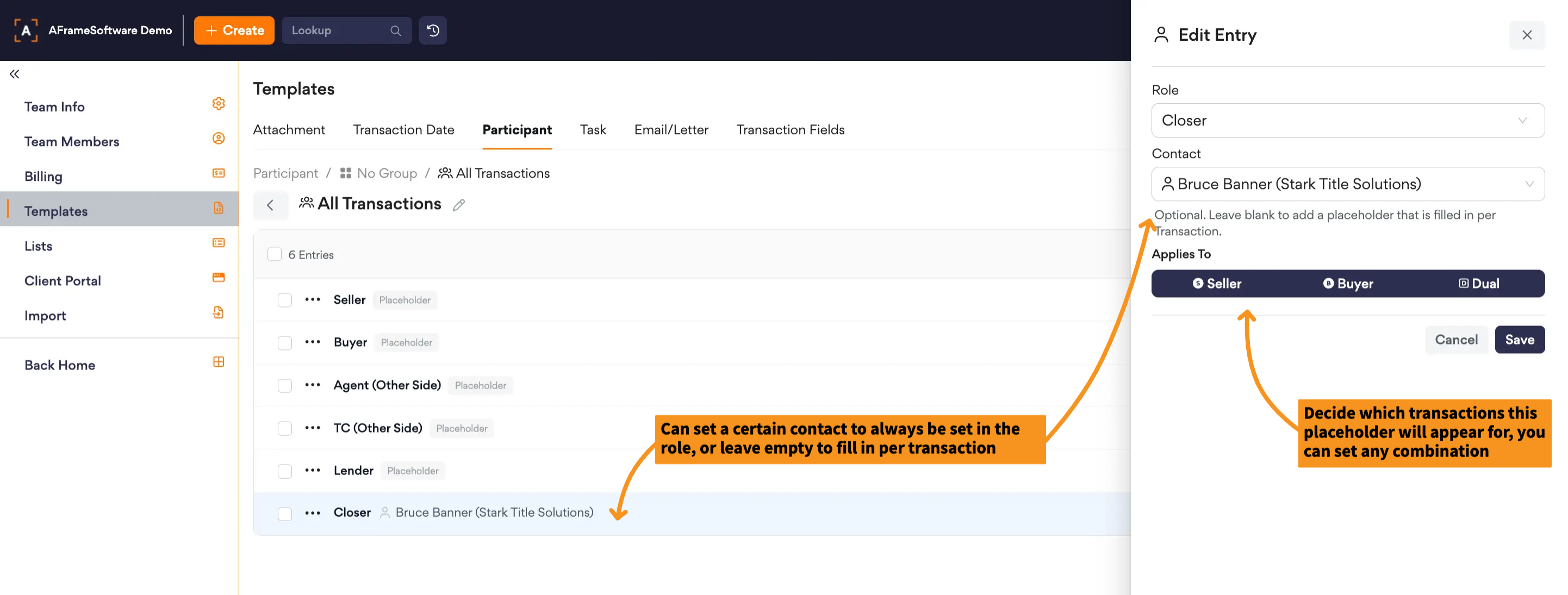
Contact
If you want the same contact to always be applied to that role when you apply the template to a transaction, then you will fill in the specific contact. Otherwise leave this section blank to create the participant role placeholder empty and ready to be filled in after applying the template to the transaction.
Application
To help reduce the number of templates you need to create, you have the ability to specify which template entries should be applied based on the transaction side: seller, buyer, or dual-sided. This is especially beneficial when you have dual-sided transactions, as you will not need to apply both buyer and seller templates, which often will populate duplicate entries.
For example, if you have certain roles that are only for buyer transactions, then you would typically mark these entries as Buyer and Dual. This will ensure that when you add the template to either Buyer or Dual transactions, these placeholders will be applied, but will not be applied to Seller transactions.
If you plan to create all-in-one templates, then here’s how you ideally should set it up:
- Buyer Transaction Roles: Mark as B & D so they apply only to buyer or dual-sided transactions.
- Seller Transaction Roles: Mark as S & D so they apply only to seller or dual-sided transactions.
- Roles for Both Sides: Mark as B, S, & D to apply them to all transactions.
Creating Participant Templates
- Under Templates, open the participant template tab and select the + Create Template button.
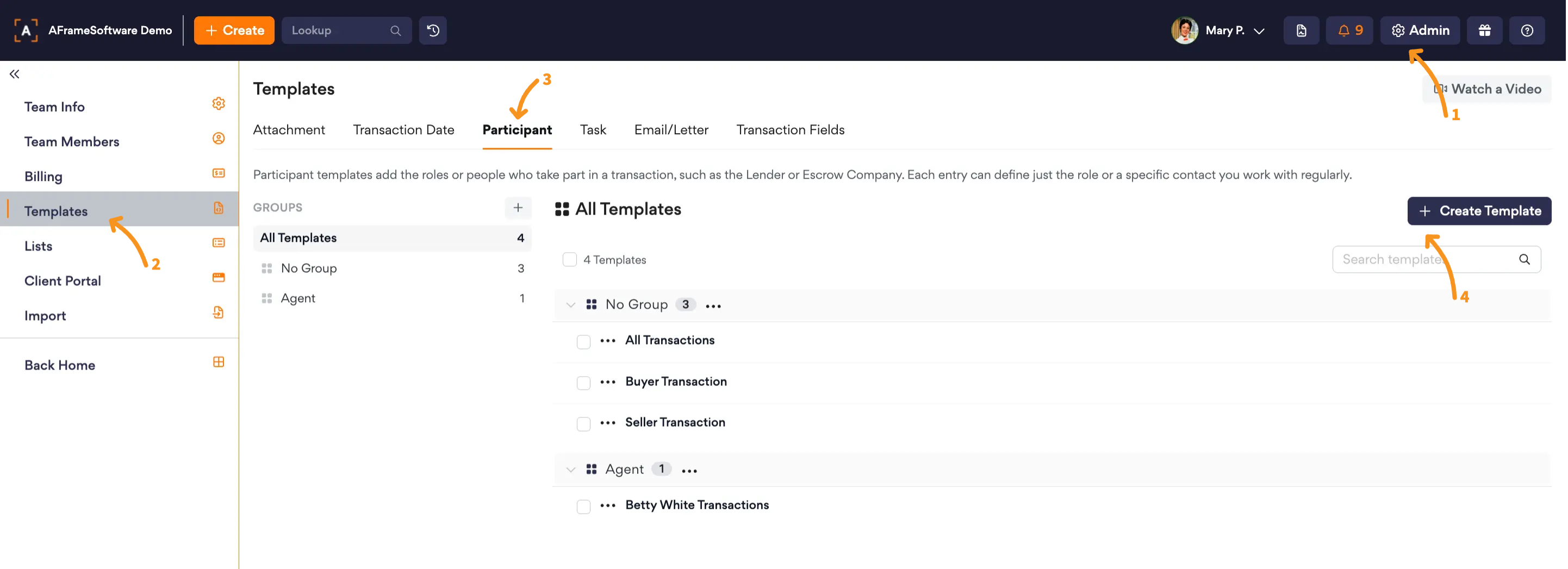
Open in AFrame: Admin → Templates → Participant
- Name your template & select your organizational group. Optional: add a description to summarize the template type and add AI Intake instructions so the AI can recognize if it needs to be used per intake.
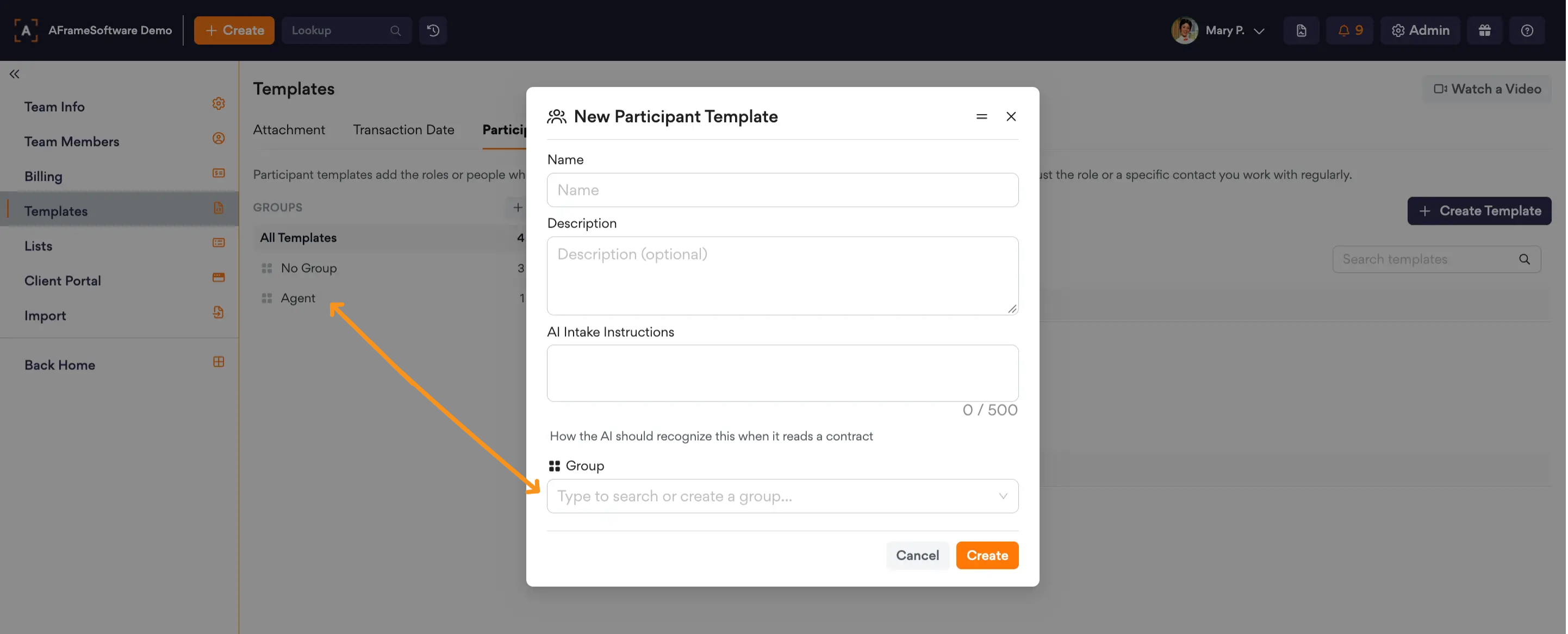
- Click + to add a new placeholder entry. Next, Select the Participant Role, Contact (optional, can leave blank), and govern which transaction side the item will apply to.