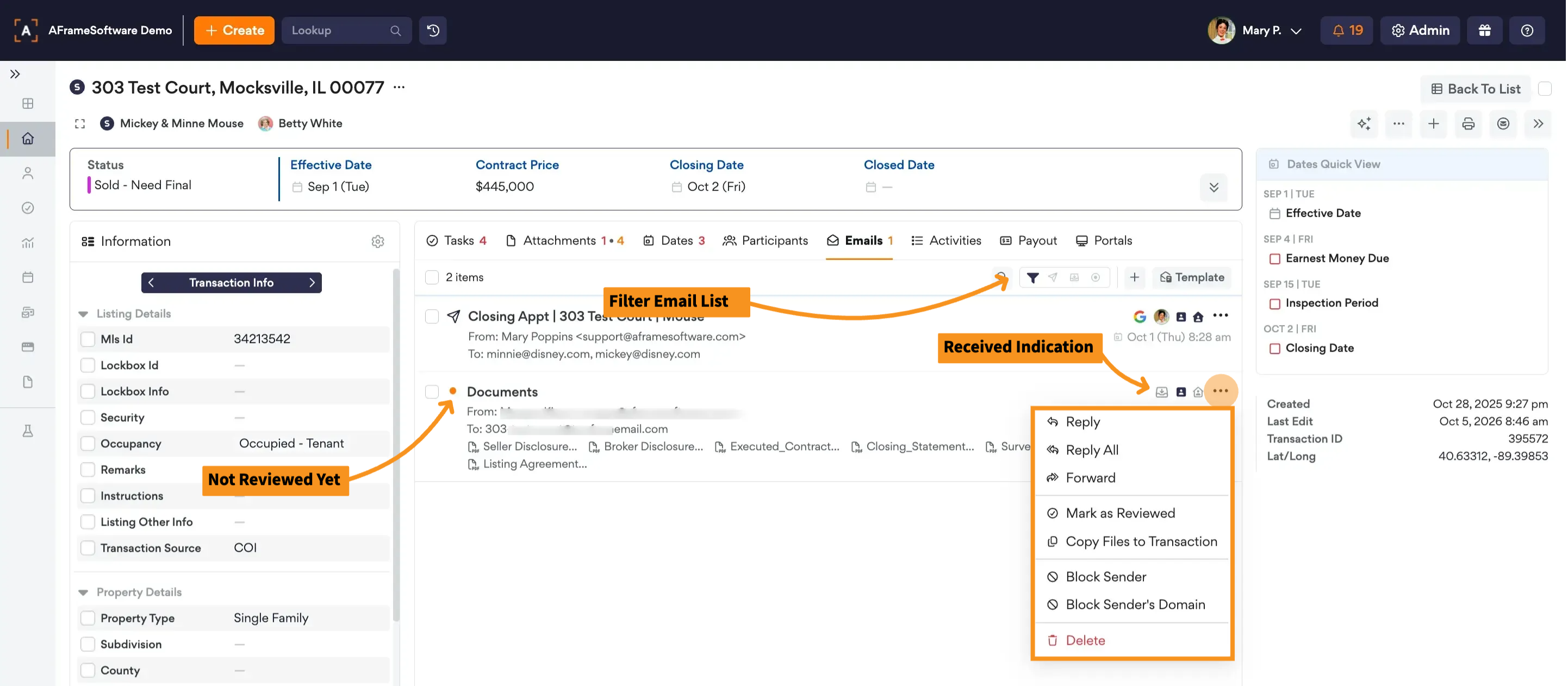
Every transaction has a unique email address that allows you to send emails and documents directly to the transaction. Emails received at this address are stored in the transaction’s Emails tab.
TABLE OF CONTENTS
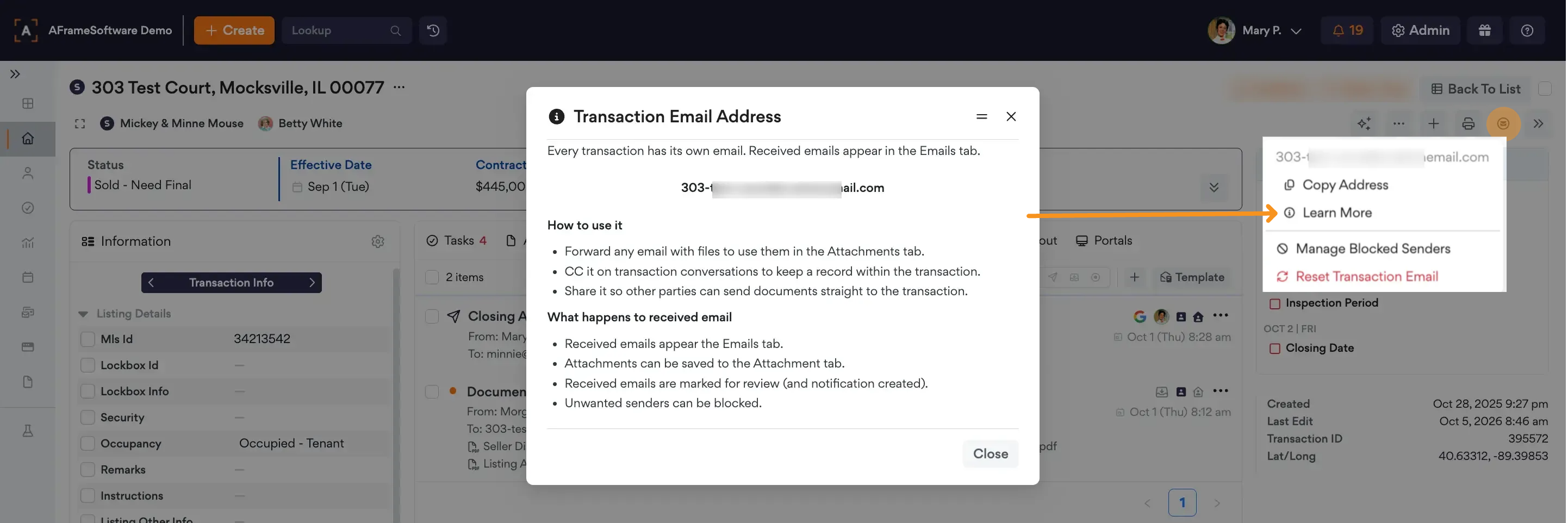
Email Address Location
Uses
You can use the transaction email address to:
- Send documents: Forward emails with files to the transaction email address. Attachments can then be saved to the Attachments tab from the email tab.
- Keep a record of conversations: CC the transaction email address on transaction-related emails to keep a copy within the transaction.
- Share with others: Provide the transaction email address to other parties so they can send documents directly to the transaction.
Received Emails
When an email is sent to the transaction email address:
- The email appears in the Emails tab.
- Any attachments can be saved to the Attachments tab.
- The email is marked for review and a notification is created.
- Unwanted senders can be blocked to prevent future emails from being received.