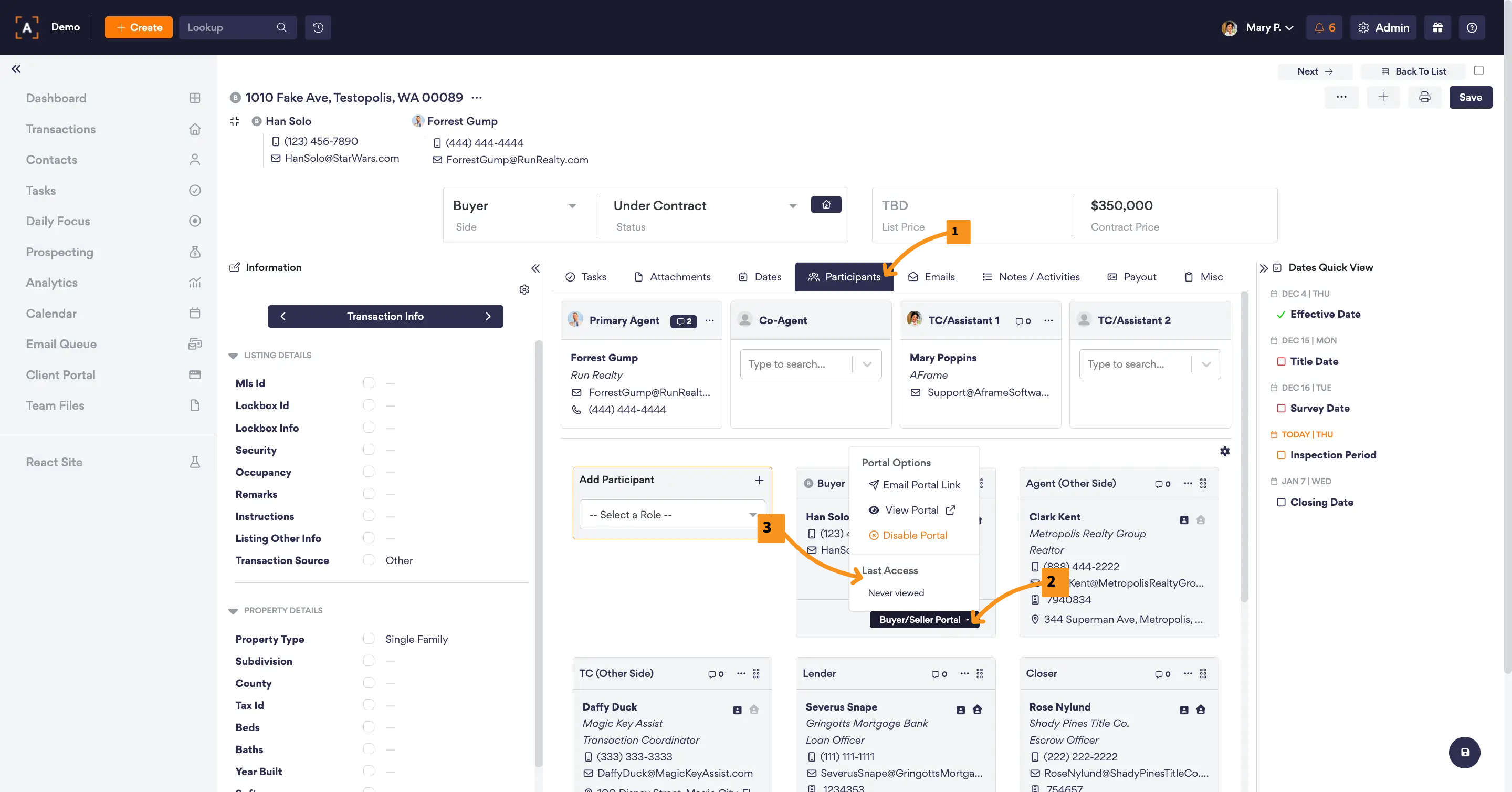
You can easily check who has recently signed in and stayed up to date with their transaction(s).
Standard Users Profile
You can check the last access time for each standard user by going to Admin > Team Members > Standard Users and viewing the Last Sign In section beside their listed profile.
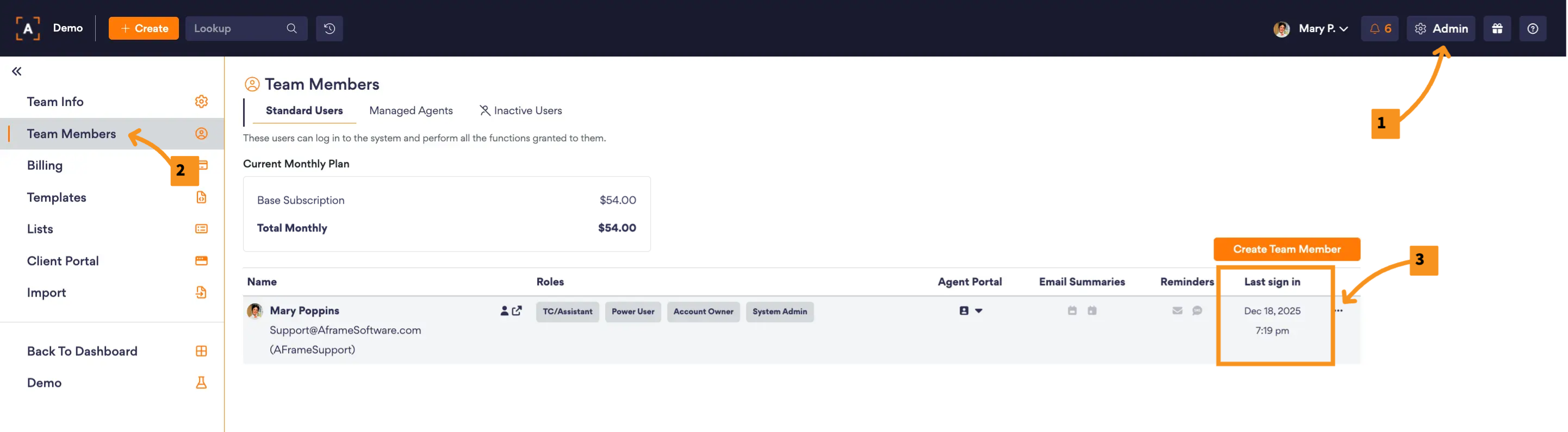
View in AFrame: Admin > Team Members > Standard Users
Managed Agent Portals
You can check the last access time for each managed agent by going to Admin > Team Members > Managed Agents and viewing the Last Sign In section beside their listed profile.
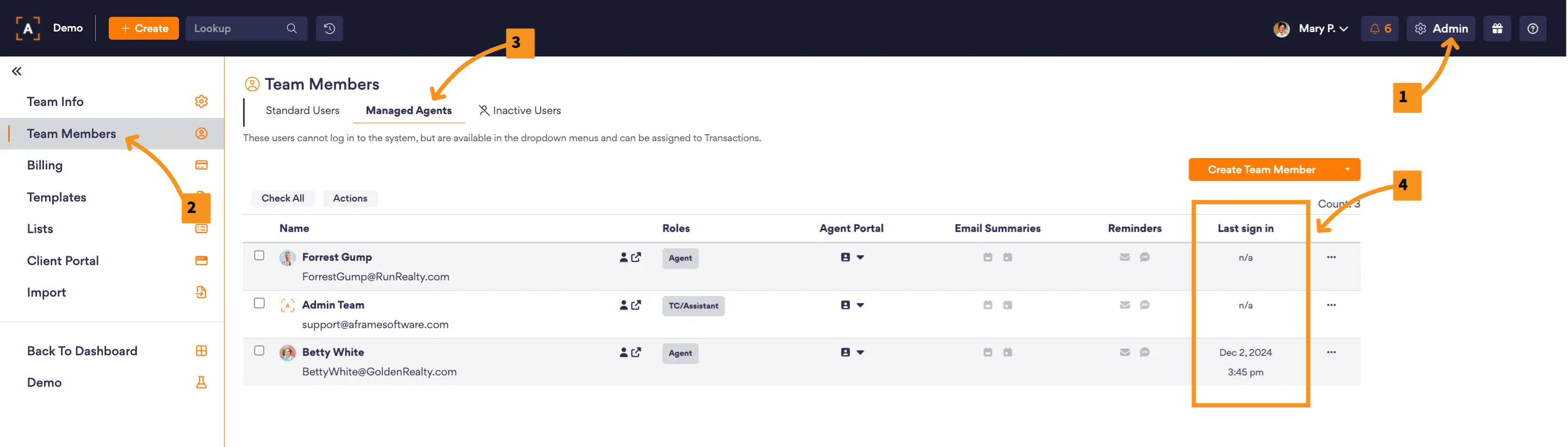
View in AFrame: Admin > Team Members > Managed Agents
Buyer/Seller Portals
You can check the last time a buyer or seller accessed their portal by going to Transaction > Participant Tab and clicking the Buyer/Seller Portal button.