FAQ :: Manage/Cancel Subscription
Print
Modified on: Tue, Aug 18, 2026 at 9:05 PM
- You can update your card information and billing email by selecting the Update Billing Information button.
- You can cancel your subscription by selecting the Cancel Subscription button. You will continue to have access until the end of your current paid billing period.
- You can view and download past invoices by selecting the View Past Invoices button.
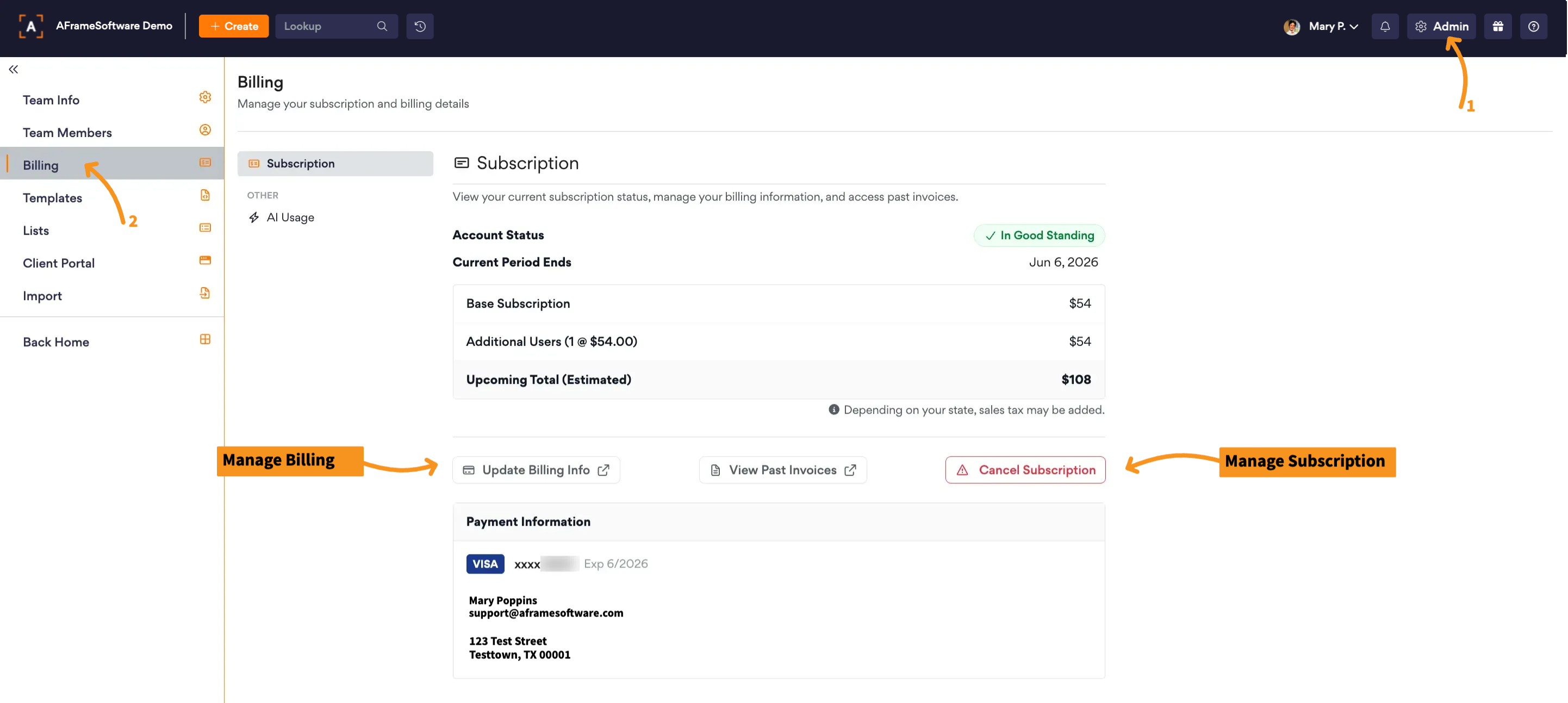
Open in AFrame: Admin → Billing
Related Article: Subscription Billing
Did you find it helpful?
Yes
No
Send feedback Sorry we couldn't be helpful. Help us improve this article with your feedback.
